Top up a customer
TL;DR - From the Operations page click Top up, pick the customer and which virtual account, copy the deposit coordinates from the modal, and share them with your customer. Funds appear on the balance once the upstream provider receives the wire.
Who can top up?
The customer wires money to themselves - Magma's role is to show you the deposit instructions for their virtual account so you can pass them on. Magma does not initiate the wire on the customer's behalf.
Only customers in verified or active status are eligible (the virtual
account must exist).
Step 1 - Open the Top up modal
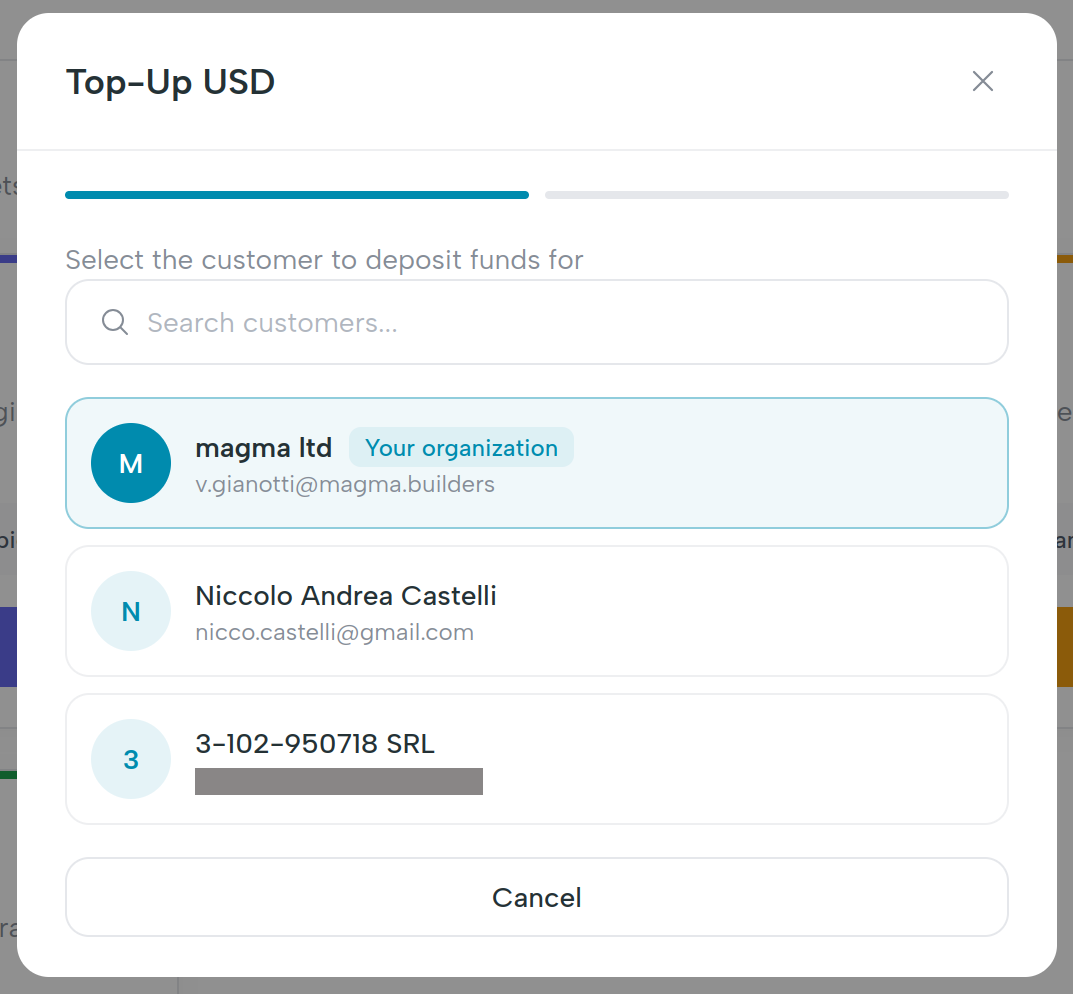
Open Operations in the left nav and click the Top up button. The modal opens; pick the customer there. The Top up button is only available on the Operations page - it is not on the customer dashboard or in the global header.
Step 2 - Pick a virtual account
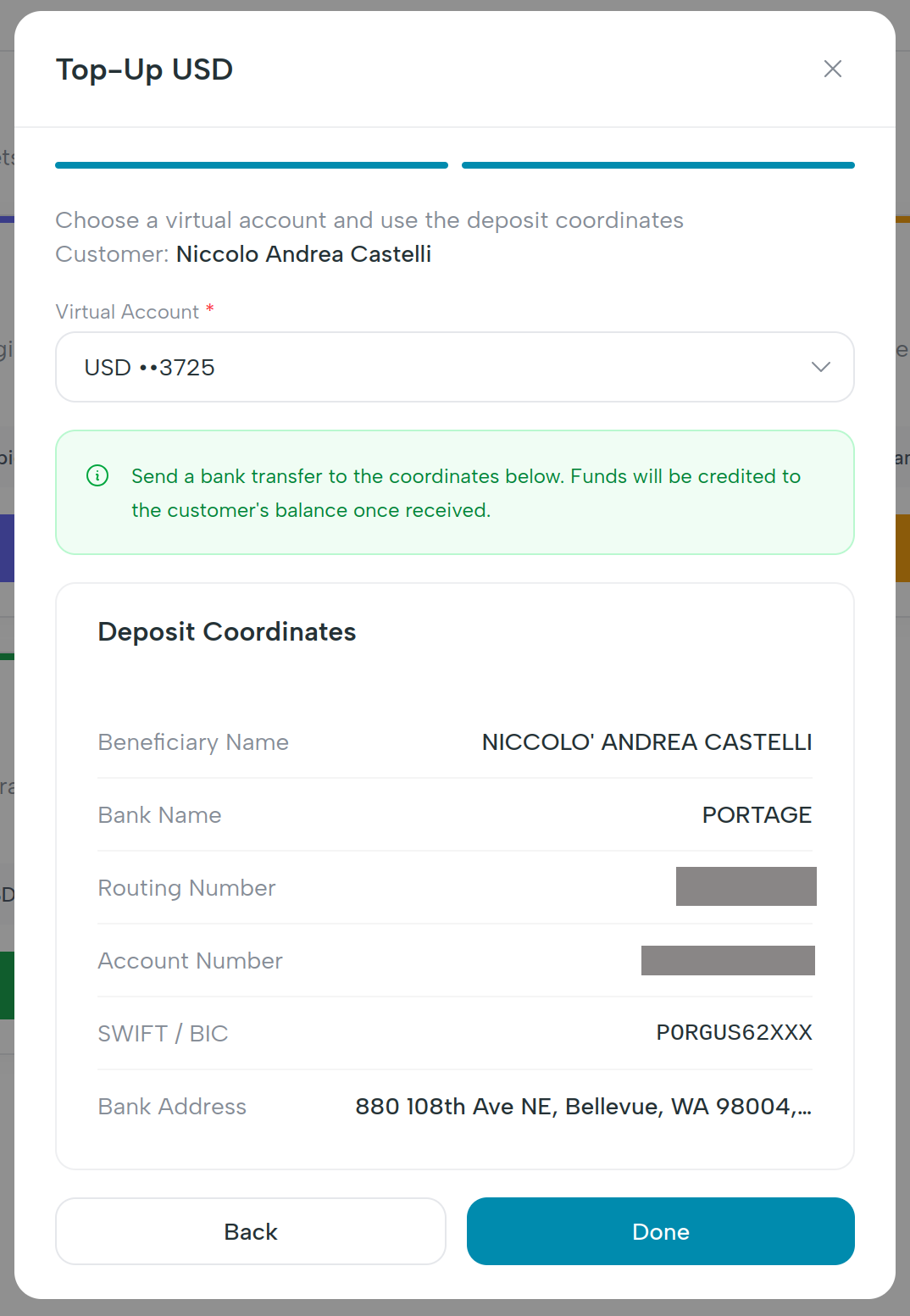
Most customers have one virtual account in USD. If the customer has more than one (e.g. a separate account per currency once multi-currency lands), pick which one to fund. The dropdown shows the currency and the last four digits of the account number.
Step 3 - Read off the deposit coordinates
The modal displays a card with every field the customer's bank will need. Each field has a copy button.
| Field | What it is |
|---|---|
| Beneficiary name | The legal name on the virtual account - usually the customer's. |
| Bank name | The provider bank holding the account. |
| Routing number | ACH / Wire routing for US transfers. |
| Account number | The virtual account number. |
| SWIFT / BIC | For international wires. |
| Bank address | Required by SWIFT senders. |
| Account type | checking for ACH; otherwise rail-specific. |
| Reference / memo | A unique reference your customer must include so the inbound payment is correctly attributed. |
Always include the reference
Wires received without the reference may be delayed for manual reconciliation. Tell the customer this is required, not optional.
Step 4 - Hand off to the customer
Send the coordinates to the customer however you normally communicate (email, secure portal). Magma's mailer can also send them on your behalf from the virtual accounts page if your fintech has that template enabled.
When does the balance update?
The customer's balance updates once the upstream provider confirms receipt of the wire - usually within minutes for same-bank ACH, same-day for domestic wires, and 1–3 business days for SWIFT. The balance card on the customer dashboard refreshes on page load; there's no live push in v1.
What happens behind the scenes
| UI action | Endpoint |
|---|---|
| Load deposit coordinates | GET /api/v1/virtual-accounts/{id}/deposit-info |
| Download bank letter PDF | GET /api/v1/virtual-accounts/{id}/bank-letter |
| Read balance | GET /api/v1/virtual-accounts/{id}/balance |
The deposit response includes beneficiary_name, bank_name,
routing_number, account_number, swift_bic, bank_address,
account_type, and reference_memo.
What's next
- Virtual accounts - what a VA is, balance vs reserved, downloading the bank letter.
- Send a fiat payout - once the balance is funded.